
Project Codename Summarizer Part 6 - From Feature Complete to App Store Launch

🎯 The Final Sprint
Remember when I said the app was feature complete back in Part 4? Well, let's say I revisited this definition quite a few times.
This final chapter covers everything from that "feature complete" moment to hitting the submit button, and beyond.
📢 Official Announcement: Summiqo is Here!
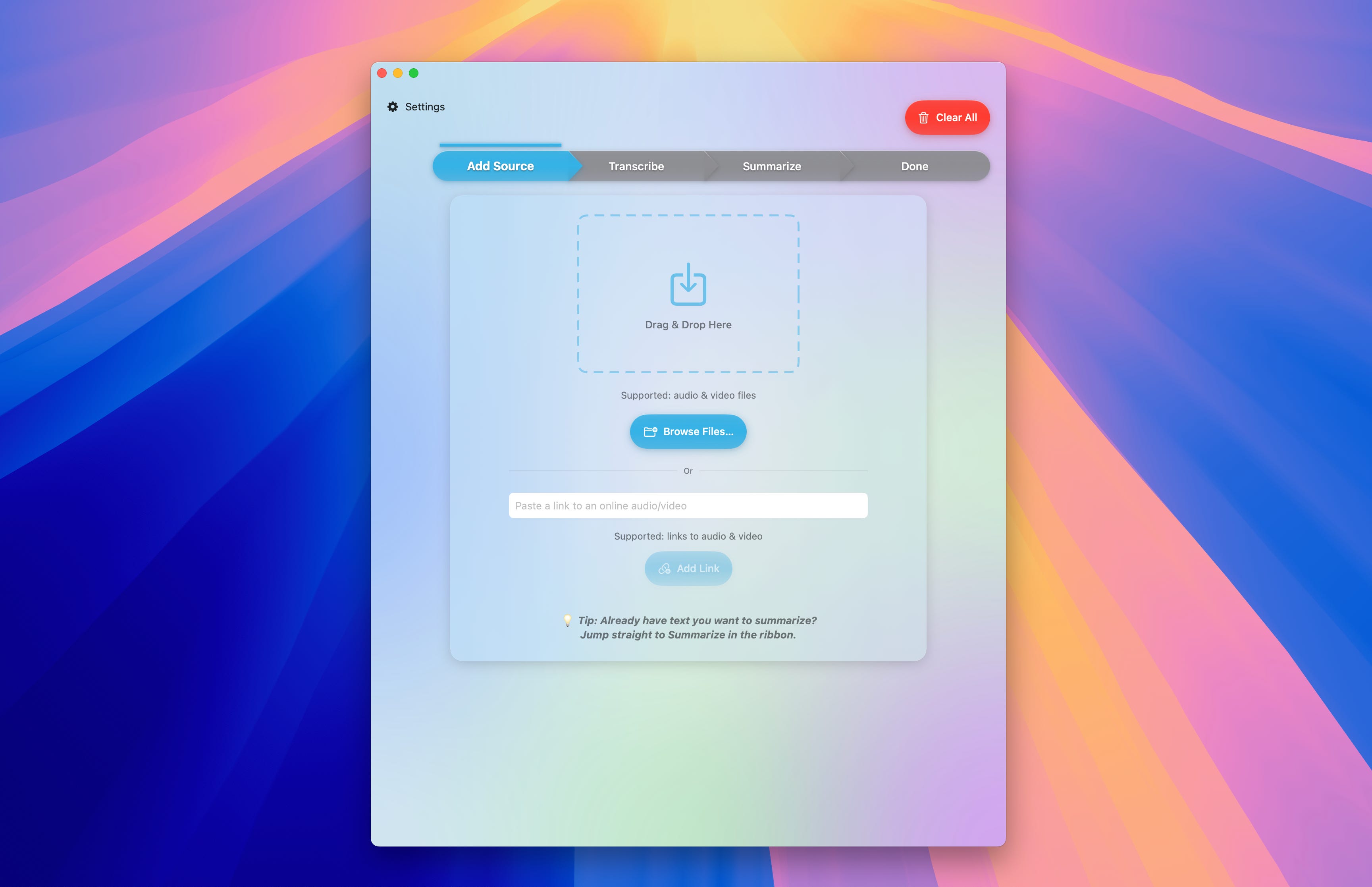
But first, let me properly introduce what we've built:
Summiqo is now available on the Mac App Store! 🎉
https://apps.apple.com/fr/app/summary-ai-summiqo/id6746267856
What can Summiqo do?
✨ Universal Media Import
Drop any audio or video file directly into the app
Paste YouTube URLs (or any online audio URL) for instant download
Automatic audio extraction from video files
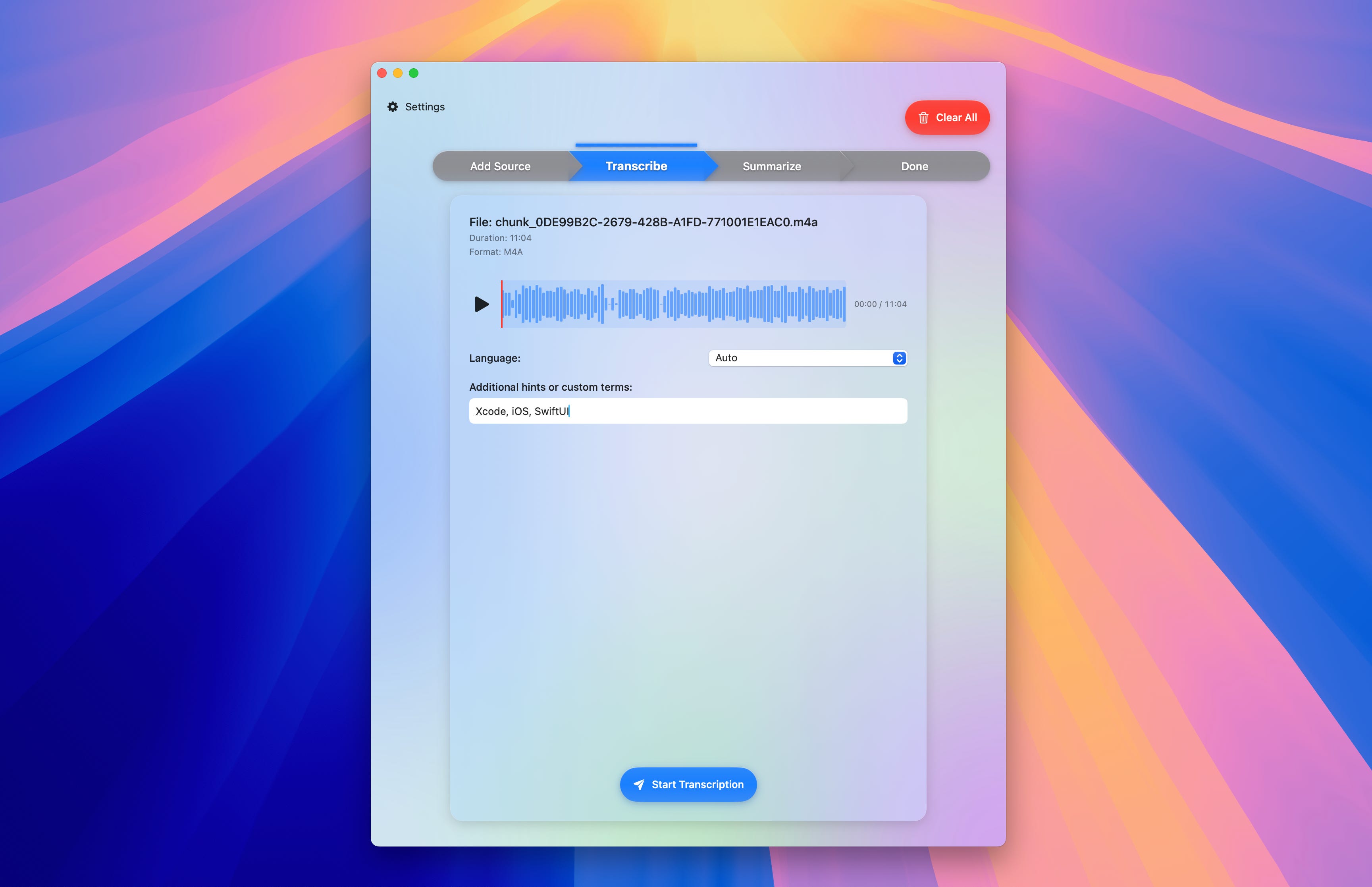
🎙️ State-of-the-Art Transcription
Powered by OpenAI's latest GPT-4o-transcribe model
Add custom terminology for technical content
Support for multiple languages
Smart chunking that avoids mid-sentence cuts
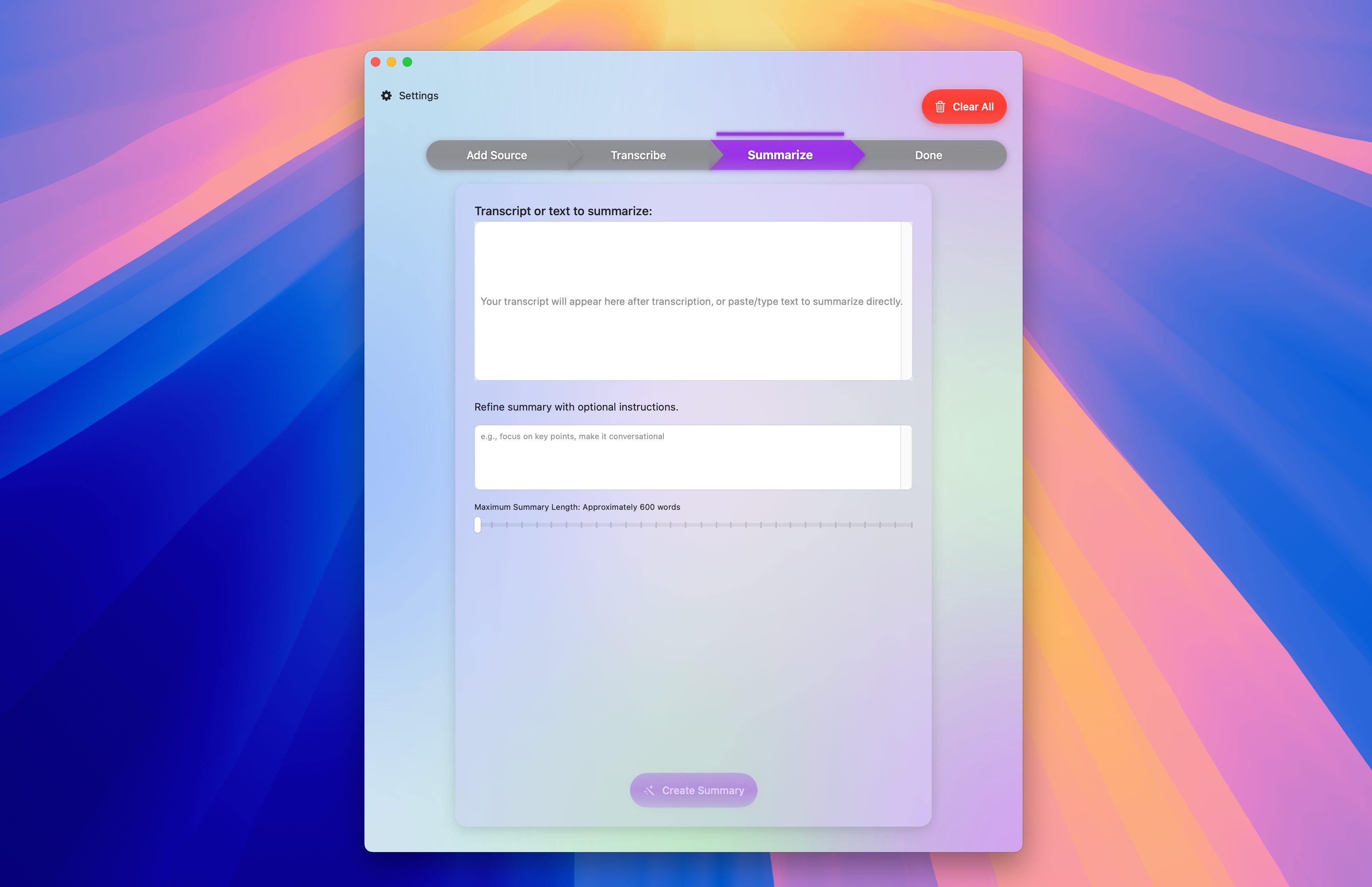
📝 Intelligent Summarization
Advanced LLM-powered summaries that actually capture the essence
Custom instructions to orient summaries to your needs
Output in any language (regardless of source language!)
🤔 Thoughtful Details
Beautiful, clean, and intuitive UI, the workflow feels natural
Playback controls for reviewing content
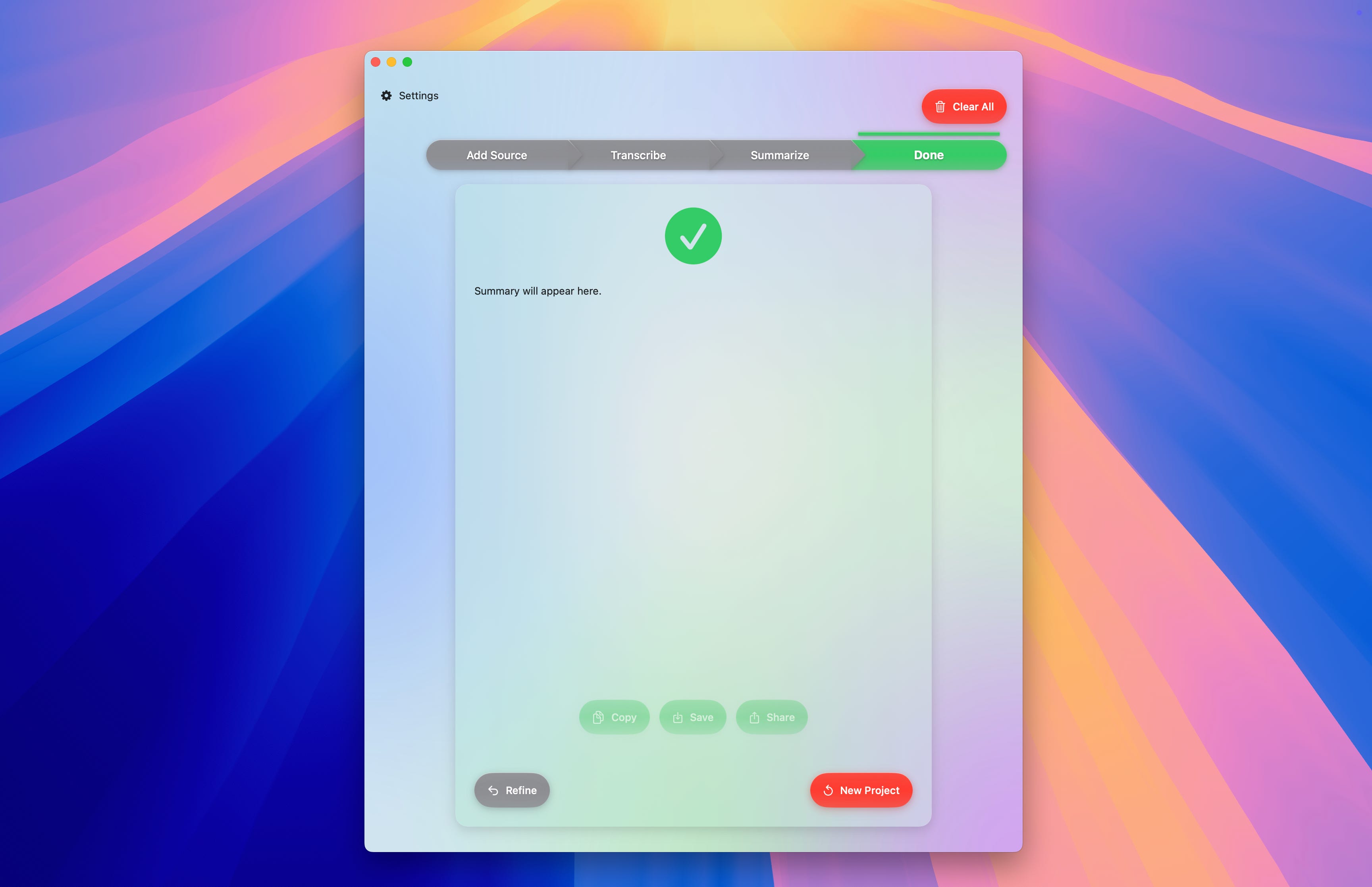
Export transcripts and summaries
Now, let me tell you the final steps of how we got here...
🛠️ Making It Production-Ready
The Reliability Layer
First up: observability. I integrated Firebase Analytics because flying blind with real users is terrifying. ErrorKit came next, since Swift errors out of the box are not that nice to show to users.
But the most valuable addition? An API fallback system. I use Azure hosted OpenAI models as a primary service. But I heard it has its moments, and when their API goes down, I didn't want my users stuck. So I built a detection system that automatically falls back on direct OpenAI + Open Router.
I also discovered that vibe-coding can lead to... creative code organization. SwiftLint became a must-have. It allowed me to keep in check all the AI-generated code.
Also, running Periphery was a necessary step. After all that rapid iteration, I had accumulated some dead code. It allowed me to keep only clean and useful code.
The Polish That Matters
This is where Summiqo transformed from a generic tool into something that really comes from me.
Onboarding took days to perfect. Too long and users bounce. Too short and they're confused. I found the sweet spot at seven screens that communicate value without overwhelming. And I also wanted to be upfront with the subscription and justify it due to the high API costs.
The copywriting phase was also personal. Every error message, every button label needed to feel like Summiqo, like me talking to my users, approachable yet professional. This wasn't just about being clear, it was about having a voice.
Then came the last-minute improvements that made all the difference:
YouTube download optimization that went from the default abysmal 8 kb/s download speed to using your full internet connection speed
Depth effects that make the UI feel alive. I'm not a fan of flat design.
Progress tracking for large file uploads (I even contributed this back to AIProxy!)
Localization with TranslateKit brought Summiqo to eight languages in total: English, Chinese (Simplified), French, German, Italian, Japanese, Portuguese and Spanish. Why limit ourselves to English when we can help users from all around the world use the app?
I want to stress that it was really really difficult to stop polishing.
I always found one small fix, one more feature, one more tweak.
But the goal as an indie is to ship fast and confront what you made to the harsh reality. So I literally had to stop myself at some point.
💼 The Business Side
With the app polished, I claimed my corner of the internet for this app:
summiqo.com ✅
summiqo.net ✅
summiqo.app ✅
Using FreemiumKit and my earlier ASO research, I crafted a paywall that communicates value without being pushy.
I didn't want to confuse, or even worse, manipulate users with my pricing model, so I went with a simple offer:
$8.99 monthly with 3 days of free trial
$59.99 yearly without free trial (45% cheaper than monthly)
Writing App Store copy is tricky. Limited characters to convince someone your app is worth downloading, and after countless iterations:
Name: Summary AI: Summiqo
Subtitle: Transcribe audio to text
Keywords: All that ASO research from Part 3 finally paid off
And I did the same for all languages and regional storefronts.
🫣 The Submission
Submission day arrived. Everything was ready. Screenshots and metadata polished. I hit submit and...
Rejection.
I expected it. I didn't know the reason but I knew Apple has to find something for a brand new app.
The issue was with entitlements. I was asking authorization to read the Downloads, Desktop, Music, and Movies folders, to allow users to drag and drop.
But the Apple reviewer didn't see it like that. I immediately gave up and left this fight for another time, another place. I removed the drag and drop feature and left only the Browse button instead, and I removed the entitlements. After that quick fix, I resubmitted, and a few hours later: Approved! 🎉
📊 The Numbers
Some stats:
First Mac app ever: Zero to App Store in under 25 days
Lines of code: 5,575 lines of code
AI-assisted code: approximately 70% to 90%
Coffee and tea consumed: ∞
🎓 What This Journey Taught Me
Vibe coding with AI is a superpower, but it's not magic. You need to:
Review every line
Keep architecture clean
Know when to take control
The fact that I was familiar with Apple development really played a huge role. I was able to smell when something was wrong and steer AI in the right direction.
Mac development has unique challenges, but overall, with SwiftUI, the entry barrier is much lower than it used to be.
Building in public was transformative. Writing these posts clarified my thinking more than any planning document.
🚀 What's Next?
The launch is just the beginning. The roadmap is already taking shape:
iOS Version 📱
Architecture is ready (those decoupled layers!)
Complete UI rethink for mobile
Feature Pipeline 🛠️
Local transcription and summarization using those shiny new AI capabilities Apple just announced
Multiple summary styles
You tell me?
I personally already use Summiqo as a one-stop solution for high-accuracy transcriptions and intelligent summaries. Most apps do one or the other, or don't even transcribe and use the automatic YouTube transcript instead. The key is in doing the whole workflow exceptionally well.
I've used it to quickly sum up WWDC sessions without having to go through each one of them. It helps me select and pinpoint what I what to focus on.
💭 Final Thoughts
This journey proved that in 2025, the gap between idea and shipped product has never been smaller. But the fundamentals remain unchanged:
Solve a real problem
Execute with polish
Listen to users
Keep iterating
To everyone who followed this build-in-public journey, thank you! It shaped Summiqo in ways I never anticipated.
Ready to save hours on content consumption?
Download Summiqo from the Mac App Store and let me know what you think, I'm really eager to encounter my first users!